

Quick Verdict
This is the establishment whiteboard against the specialist, and the establishment mostly wins.
Miro is the best general-purpose visual workspace on the market: 300+ official templates, 160+ integrations, native planning poker via its Estimation app, AI clustering by sentiment, and an interface designers do not complain about. Retros are one of a hundred things it does well.
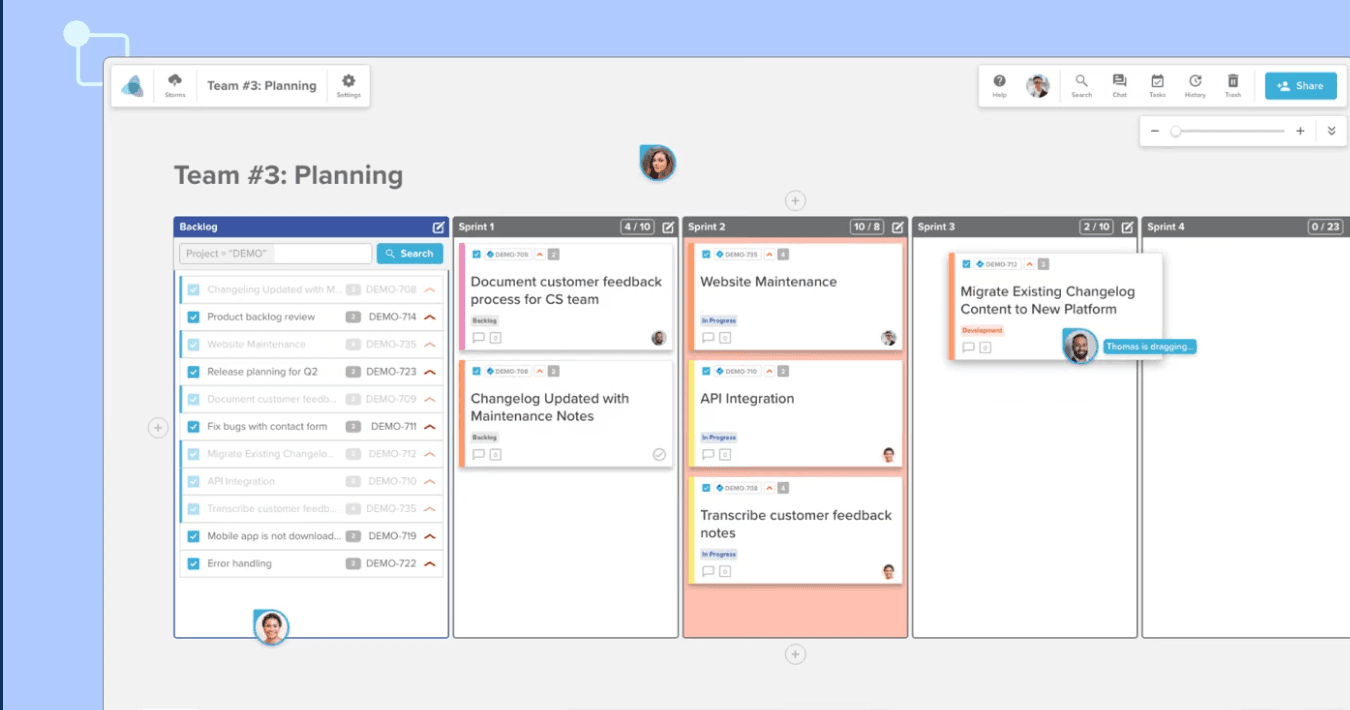
Stormboard does fewer things and takes some of them further. Sticky notes are anonymous by default, which Miro cannot claim. Every board exports as a formatted Word document, PowerPoint deck, or Excel workbook, which Miro cannot match. And its Business plan costs less than Miro's.
If you are picking one whiteboard for the whole company, pick Miro. If your retros need honest input and end with a report on someone's desk, Stormboard makes a genuinely strong case.
Feature Comparison
Both cover the retro fundamentals: templates for the standard formats, dot voting, timers, action items that can carry owners, AI grouping and summaries, and sentiment analysis. Two enterprise whiteboards, one checklist, few gaps.
The anonymity difference is the one facilitators should weigh most. Stormboard hides sticky authorship by default, and only the admin can reveal it; voting is anonymous to everyone but the admin. Miro's private mode hides stickies until reveal, which prevents anchoring, but once revealed, authorship is visible. For teams where "who wrote this" changes what gets written, Stormboard's default is worth real money.
Miro answers with breadth. Its Estimation app runs actual planning poker, which Stormboard approximates with a template. Miroverse has 7,000+ community templates against Stormboard's respectable gallery. Miro's canvas handles diagramming, prototypes, roadmaps, and workshops that Stormboard's section-based board was never built for. And Miro's 2025-2026 AI push (Sidekicks, AI Flows, translation) goes well past StormAI's five features.
Stormboard's report engine is the feature Miro users do not know they are missing. A finished retro exports as a formatted Word doc, PowerPoint deck, Excel workbook, or Google Docs/Sheets/Slides file, with ideas, votes, comments, and task lists included. Miro exports images, PDFs, and CSVs. If your organization runs on documents, that difference is structural.
Pricing Comparison
Both are per-user products with weak free tiers for team use: Miro caps free workspaces at 3 boards, Stormboard caps free Storms at 5 members.

Miro
Starter, annual. Business at $16 adds two-way Jira sync and SSO
- Unlimited boards from Starter
- Native Estimation app
- 160+ integrations
- 25 AI credits/member/month

Stormboard
Business; ~$8.33 billed annually
- Unlimited Storm members
- Word, PowerPoint, Excel, Google exports
- Two-way Jira and Azure DevOps sync included
- 30-day StormAI trial
Sticker prices look similar, but plan gating flips the comparison. Miro locks two-way Jira and Azure DevOps sync plus SSO behind Business at $16/member. Stormboard includes two-way Jira and Azure DevOps on its $8.33-10 Business tier. An engineering team that needs tracker sync pays roughly half as much on Stormboard.
For a ten-person team: Miro Business runs $160/month, Stormboard Business about $83-100. Miro Starter at $80 is cheaper than both but drops tracker sync. Neither has a workable free tier for recurring team retros, and both are lapped on price by flat-rate tools like Kollabe at $29 for everything.
Ease of Use
Miro is simply nicer to use. The canvas is fast and fluid, the design is current, and most participants have seen it before. Its weakness is sprawl: the toolbar carries a hundred features, and first-timers need a minute to find the sticky note.
Stormboard is more structured and more dated. Stickies snap into sections, which keeps a retro tidy without facilitator effort, but the visual design reads as enterprise software from the mid-2010s and reviewers say so regularly.
Neither has guided facilitation. Both leave the phases to the facilitator, which is where dedicated tools like TeamRetro or Retrium justify themselves.
Hardware: both cover iOS, Android, and desktop, but Stormboard's Surface Hub app with handwriting recognition is a real differentiator for boardroom-touchscreen retros, while Miro's tablet apps with Apple Pencil support are better for individual sketching.
Integrations
Not close. Miro connects to 160+ apps: two-way Jira and Azure DevOps, Linear, Trello, Asana, Monday, ClickUp, Slack, Teams, Zoom, Google Workspace, Notion. If a tool exists in your stack, Miro probably talks to it.
Stormboard covers the enterprise core: two-way Jira and Azure DevOps, Teams embedding, Slack notifications, Rally, ServiceNow, Office 365, Google Workspace, Webex, Zoom, and Zapier for the rest, plus a public API. Notably absent natively: GitHub, Linear, Confluence, Trello.
The one caveat cutting Miro's way: its best integrations live on the Business plan. Stormboard ships its Jira/ADO sync at the lower tier.
AI and Automation
Miro's AI is broader and more ambitious: sticky clustering by keyword, author, and sentiment, Catch-up board summaries, translation in 18 languages, and multi-step Sidekick agents on the canvas. Credits meter usage on every plan.
StormAI covers the retro-relevant set: theme grouping, summarization, sentiment sorting, idea generation, and template-from-prompt. It is narrower but well-aimed, and it runs on a dedicated Azure OpenAI instance, which enterprise security teams tend to like.
The access models differ more than the features. Miro's credits scale with plan; StormAI is a 30-day Business trial and admin-activated on Enterprise, with renewal pricing left vague. Confirm before you build a workflow on either.
Who Should Choose Which?
Choose Miro if…
- One whiteboard for the whole company, retros included
- 160+ integrations across your entire stack
- Native Estimation app covers planning poker
- The nicest canvas UX in the category
- Broadest AI suite and template ecosystem
Choose Stormboard if…
- Anonymous-by-default stickies for honest retros
- Stakeholder-ready Word, PowerPoint, and Excel reports
- Two-way Jira/ADO sync at a lower price than Miro Business
- Surface Hub and pen support for boardroom sessions
- Single-tenant data residency in 11+ regions
Final Recommendation
Miro keeps its crown. For an organization standardizing on one visual workspace, its ecosystem, interface, and feature depth are not seriously challenged here, and its retro toolkit is strong enough that most teams will never feel the gaps.
But Stormboard is the better retro whiteboard for a narrower buyer than its marketing admits: teams that need anonymous input by default, deliver reports upward, and want tracker sync without paying Miro Business prices. Those teams are not rare in the enterprise.
And if you are only buying software for retrospectives, remember that both are generalists. A purpose-built tool from our rankings gives you guided facilitation and ceremony coverage neither whiteboard attempts.